
In this blog post, we will walk you through a feature that can make all the difference in your access control journey. This feature is ‘Near Detection Mode’, designed to improve your experience on the SALTO KS app using Digital Key with a Wall Reader. Near Detection Mode provides a solution to issues caused by interference that may occur with two or more Wall Readers installed in close proximity to each other. It also solves the risk of Wall Readers accidentally reading undesired credentials.
Before this functionality, if one were to encounter multiple Wall Readers within close proximity, they could potentially risk the Bluetooth signal being affected when trying to use Digital Key. Now with Near Detection Mode, when a SALTO KS app user with the correct authentication rights gets detected by this type of access point, the door automatically opens, without interference. We believe the Near Detection Mode feature provides a more efficient and convenient way for you to open doors with ease.
Near Detection Mode is available to all SALTO KS users. Read ahead to learn how you can make use of Near Detection Mode to optimize your SALTO KS experience!
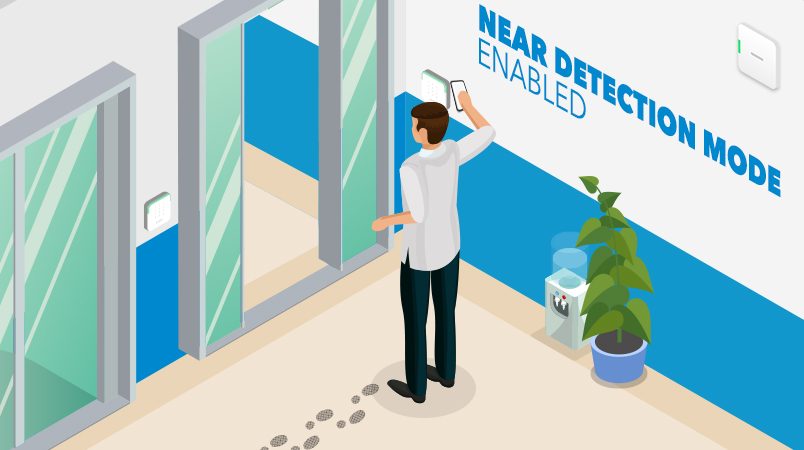
Near Detection Mode: Enabled
The Near Detection Mode feature is especially helpful when you need to interact with an entry point that has multiple Wall Readers mounted on it. In this scenario, if you have ‘Near Detection Mode’ enabled, you do not risk the wrong Wall Reader receiving the signal of your presented Digital Key. Instead, the Wall Reader radius is reduced to avoid interference with the other mounted locks. The range of Bluetooth signal when it is enabled is 10-15 cm to be specific, but this may vary depending on the mobile device presented to the Wall reader.
The Wall Reader is asleep until a Digital Key or Tag is presented within close proximity to it, after which it can successfully be activated and unlock your door.
In addition, enabling Near Detection Mode similarly helps to avoid the risk of a Wall Reader receiving the signal from a Digital Key that was activated in the distance and possibly an undesired credential.
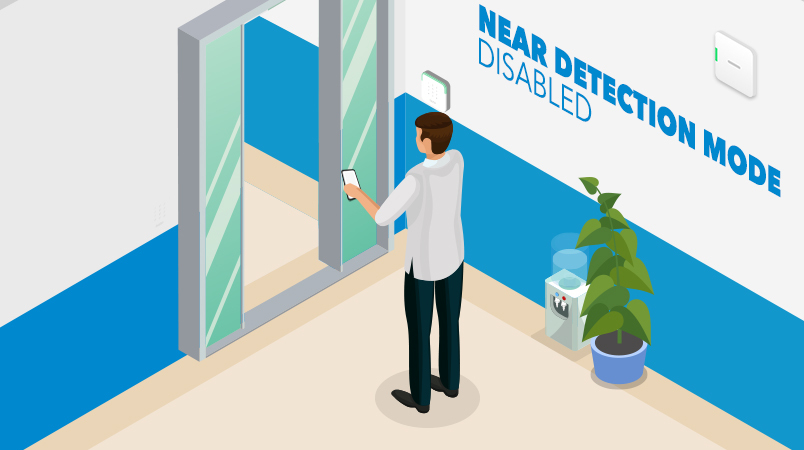
Near Detection Mode: Disabled
If Near Detection Mode is disabled, your Digital Key can still successfully activate a Wall Reader and unlock a door, but from a greater distance. With the feature disabled, your Digital Key does not need to be in close proximity to the Wall Reader.
What hardware does the Near Detection Mode feature require?
- IQ: To enable Near Detection Mode you require an IQ that is at least version 2.3.X. Without this, you will not be able to use Near Detection Mode.
- Locks and access points: All BLE-enabled Wall Readers are compatible with this functionality. Select the perfect lock that suits your business on SALTO MyLock.
How do I activate Near Detection Mode?
To use Near Detection Mode, you have to manually enable the functionality.
In the Web App, click on the ‘Locks’ tab at the top of your screen. Then, go to ‘Settings’. Here, you can easily opt to enable the Near Detection Mode feature. Keep in mind that you need to be a Site admin to enable Near Detection Mode. Contact your Site admin for the right permission if you cannot enable the feature and would like to make use of it.
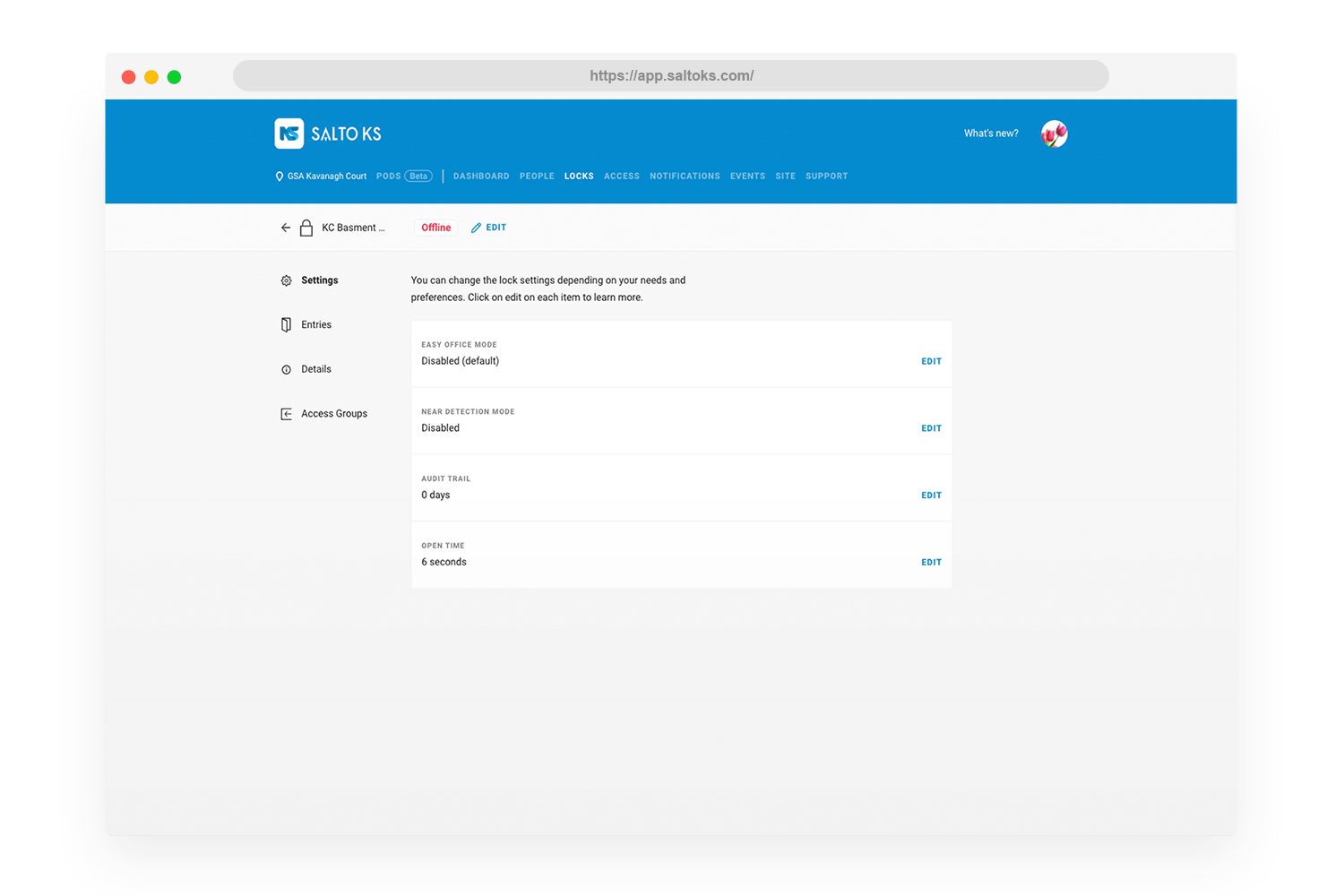
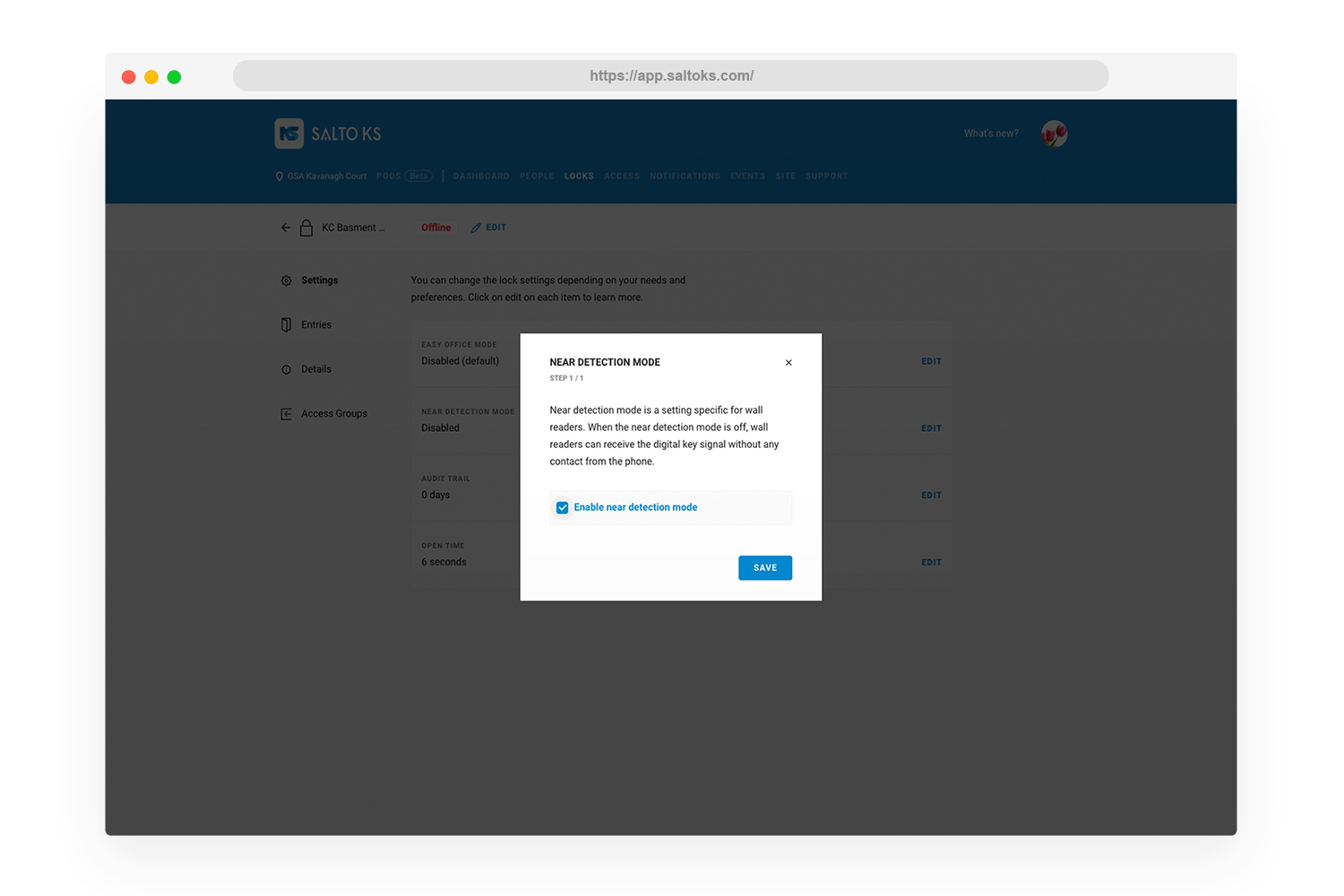
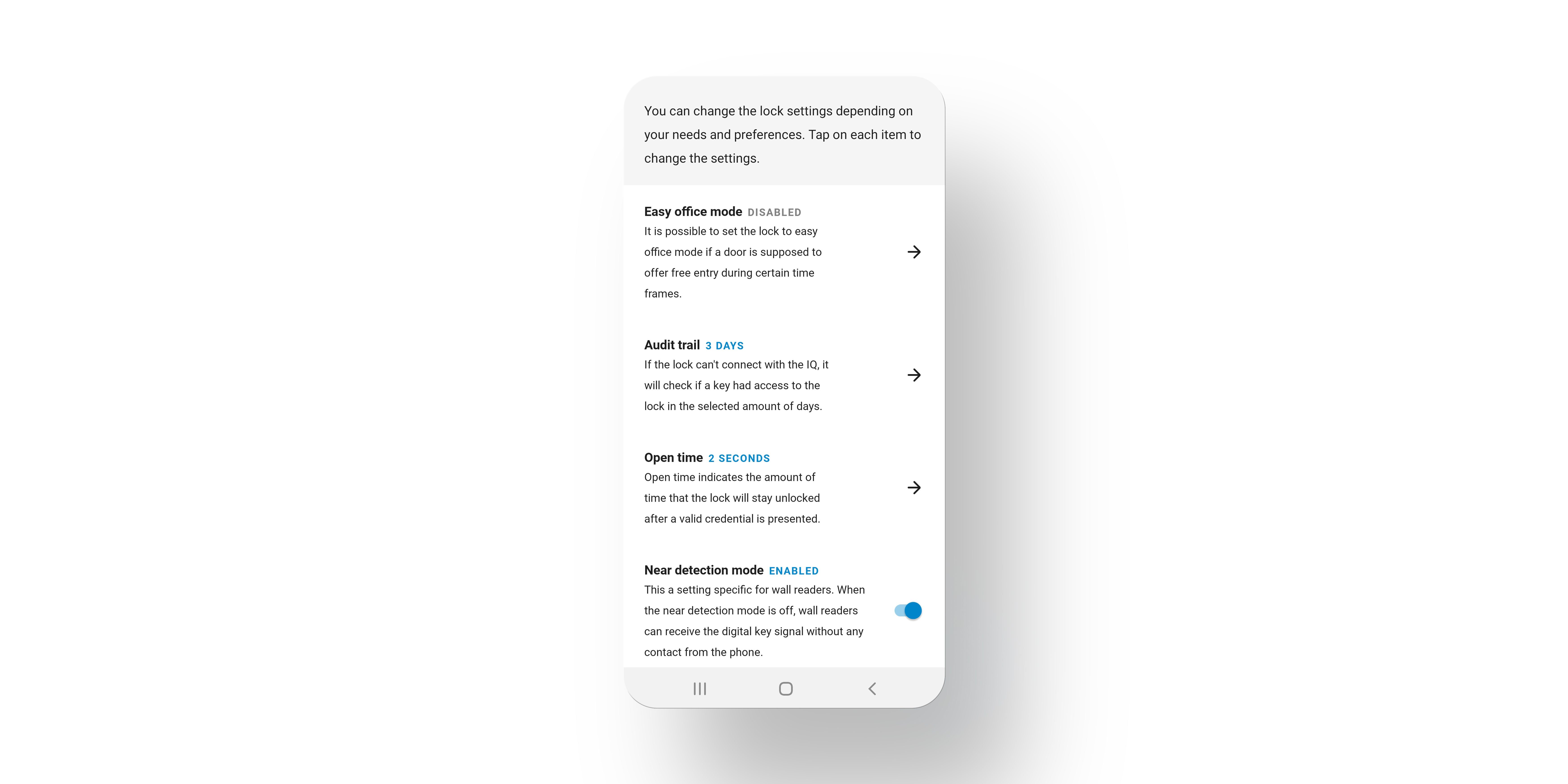
For Mobile App (iOS and Android) users, navigate to the ‘Lock settings’ page of your SALTO KS Mobile App, where you will find ‘Near Detection Mode’ among the available options. Here, you can change its settings via the toggle which will allow you to either have the setting ‘enabled’ or ‘disabled’ as per your preference.
Our dedicated team of developers continuously work to optimize SALTO KS features and functionalities, providing you and your site’s visitors with an advanced access control experience.
We value your feedback! Contact us here if you have any concerns or suggestions regarding Near Detection Mode; we are happy to help!